


How to Stage Lighting Affects Skin Tones for Eyes and Cameras
- Tim Adams

- Apr 3
- 6 min read
By Tim Adams Friday, April 3, 2026
If you’ve spent any time behind a soundboard or a lighting console in a church, you’ve probably heard it before: "Why does the pastor look so pale on the livestream?" or "I can’t see their face clearly from the back of the room."
Getting the lighting right is one of the most challenging parts of church production. You aren't just lighting for the people sitting in the pews; you’re also lighting for the camera sensors that are broadcasting your service to the world. These two "viewers": the human eye and the digital camera: see light in completely different ways.
When we talk about stage lighting at Timato Systems, we often focus on the gear, but the real goal is how that gear interacts with the people on stage. Specifically, how it renders skin tones. If your lighting is off, your worship leaders can look sickly, washed out, or even disappear into the background.
Let’s dive into how stage lighting affects skin tones and how you can master the balance for both your live audience and your online community.
The Human Eye vs. The Digital Sensor
The first thing to understand is that the human eye is incredibly forgiving. Our brains are wired to perform "auto-white balance" instantly. If you walk into a room with warm, yellowish incandescent bulbs, your brain adjusts within seconds, and skin tones look "normal" to you.
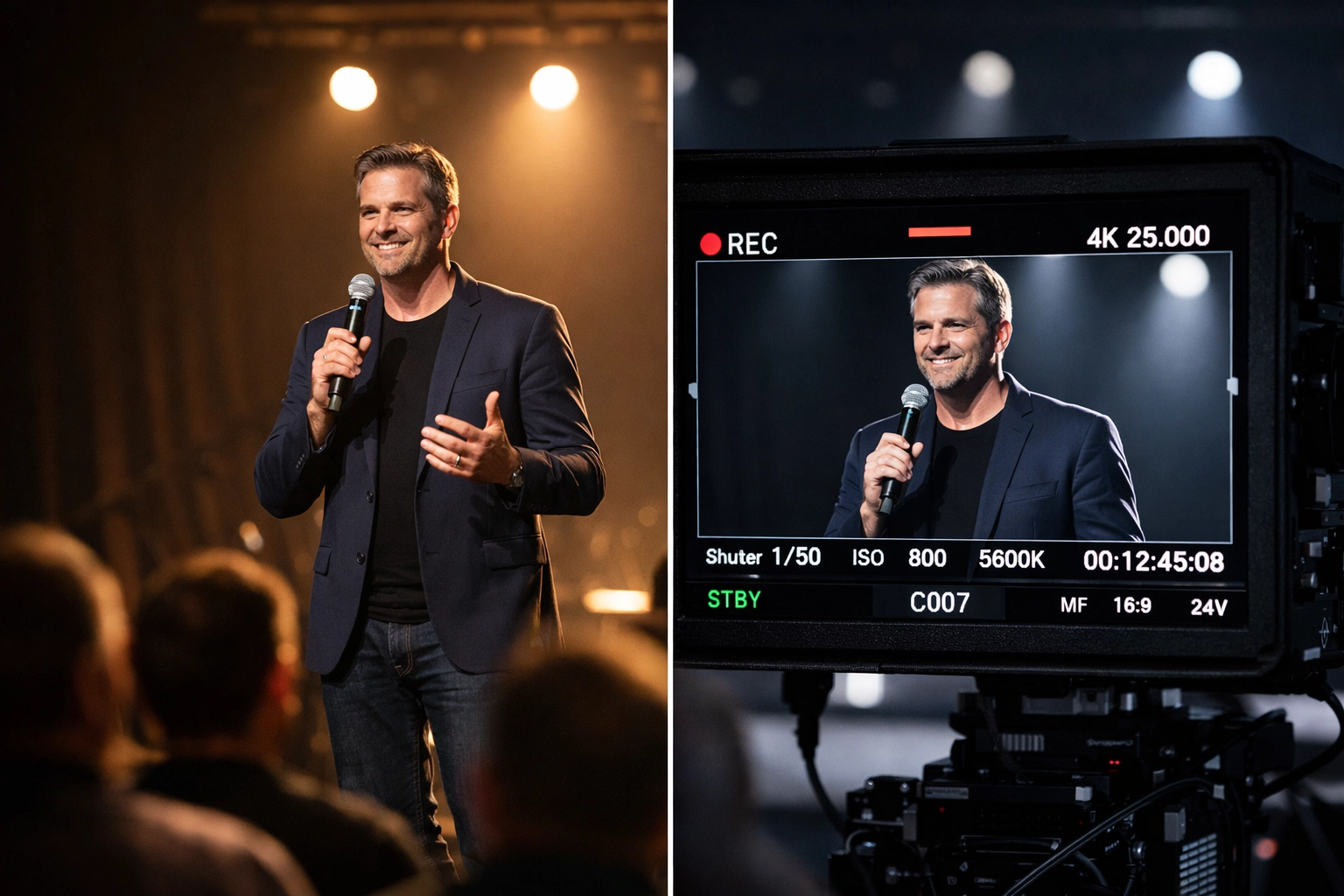
Cameras are not that smart. A camera sensor is a literal measurement tool. It records exactly what is there. If your stage lighting has a heavy green spike (common in older or cheap LED fixtures), the camera will capture that green, and your speakers will look like they’re auditioning for a role in a sci-fi movie.
To bridge this gap, we have to look at the technical specs of our lights, specifically the Color Rendering Index (CRI) and Color Temperature.
The Secret Sauce: Color Rendering Index (CRI)
If you take away one thing from this article, let it be this: CRI matters more than almost any other spec when it comes to lighting people.
The Color Rendering Index (CRI) is a scale from 0 to 100 that measures how accurately a light source reveals the "true" colors of an object compared to natural sunlight. For skin tones, you want a CRI of at least 90, though 95+ is the gold standard for high-end broadcast environments.
Skin is a complex surface. It isn't just one solid color; it’s a mix of melanin (browns/yellows) and hemoglobin (reds/pinks). A low-CRI light might be missing parts of the red spectrum. When that light hits a person's face, the camera won't see the natural redness of the blood under the skin, making the person look grey, ashen, or lifeless.
When we design video packages for churches, we always ensure the front wash fixtures have a high CRI. It’s the difference between a professional look and a "basement DIY" look.
Color Temperature: Warm vs. Cool
Color temperature is measured in Kelvin (K). In the church world, we typically deal with two main standards:
Tungsten (3200K): A warm, amber light. This is the traditional look of theater. It’s very flattering for most skin tones because it emphasizes those warm undertones.
Daylight (5600K): A cooler, bluer light. This matches the sun. It’s crisp and bright, but if it’s too blue, it can make people look "cold."
The problem arises when you mix these temperatures without a plan. If your front light is 3200K but you have daylight leaking in from windows or coming off a high-brightness LED wall, the camera will struggle to decide which one is "white." Usually, this results in one light looking way too orange and the other looking way too blue.
For most modern worship environments, we recommend a "Daylight" balance (5000K-5600K) if you are using LED walls or have natural light. However, you must ensure your fixtures are high quality so the cool light doesn't feel clinical or harsh.
Understanding Skin Undertones
Lighting isn't "one size fits all." Different people have different skin undertones: generally categorized as warm, cool, or neutral.
Warm Undertones: These individuals have hints of peach, yellow, or gold. Warm lighting (3200K) or lights with a slight amber tint can make these skin tones look vibrant and healthy.
Cool Undertones: These individuals have hints of pink, red, or blue. Cooler lighting can highlight their natural vibrancy, while too much yellow light can make them look slightly "muddy."
The trick to lighting a diverse stage is using "full spectrum" light. By using high-CRI fixtures that provide a balance of all colors, you allow the natural pigments of every individual to shine through without having to change your lighting presets for every different speaker.

The Power of Angles and Intensity
How you aim your lights is just as important as the color of the lights themselves.
The Butterfly Technique
In professional stage and film lighting, the "Butterfly" technique involves placing a key light slightly above and behind the camera (or front of house). This creates a small, butterfly-shaped shadow under the nose. It’s a very flattering angle that defines the cheekbones and keeps the face from looking "flat" on camera.
Intensity and Wash-out
If your lighting is too intense, you’ll "clip" the highlights. This means the brightest parts of the face (the forehead, nose, and cheeks) turn pure white on the camera sensor. Once that data is lost, you can’t get it back in editing.
On the flip side, if the intensity is too low, the camera will introduce "noise" or graininess as it tries to brighten the image digitally. The goal is a smooth, even intensity across the entire "acting area" of your stage so that the pastor can walk from left to right without their face changing brightness.
Lighting for the Camera vs. Lighting for the Room
Here is the tension: What looks great to the eye often looks "flat" to a camera, and what looks great on camera can sometimes feel blinding to the person on stage.
Cameras love "three-point lighting":
Key Light: The main source of light on the face.
Fill Light: A softer light that fills in the shadows created by the key light.
Back Light (or Hair Light): This is the most forgotten light in church tech. By placing a light behind the person (aimed at their head and shoulders), you create a "rim" of light that separates them from the background. Without a back light, people tend to blend into the stage curtains or the back wall on a 2D camera screen.
If you’re noticing that your livestream looks "muddy" or lacks depth, try turning up your back lights. It’s an instant professional upgrade.

Dealing with LED Walls and Backdrops
Modern churches are increasingly using Veritas LED walls as backdrops. These look amazing, but they present a massive challenge for skin tones.
An LED wall is essentially a giant light bulb. If the wall is set to 100% brightness, it will blow out the camera’s sensors, making the people in front of it look like silhouettes. To get good skin tones in front of an LED wall, you have to:
Dim the wall: Most LED walls only need to be at 10-20% brightness for church environments.
Increase Front Light: You need enough front light intensity to compete with the light coming from the wall behind the subject.
Watch the Color Spill: A giant blue background on an LED wall will cast blue light onto the backs of your singers’ heads. You may need to adjust your back-lighting color to compensate.
Practical Steps for Church Leaders
If you’re a church leader or a tech director looking to improve your visual quality, here’s a quick checklist:
Check your CRI: If you’re buying new fixtures, don't settle for anything under CRI 90. It’s worth the extra investment for the sake of your broadcast.
White Balance your Cameras: Don't leave your cameras on "Auto." Pick a color temperature (like 5000K) and set both your lights and your cameras to match.
Use Soft Boxes or Diffusion: If your lighting feels "harsh" on people's skin, adding diffusion can help spread the light and soften those hard shadows.
Audit your "Articles": Stay informed on the latest trends in church tech by reading our other articles.
Final Thoughts
Stage lighting is a blend of art and science. While we want the worship center to feel "vibey" and atmospheric, we can never sacrifice the clarity of the human face. The message is delivered through the person on stage: their expressions, their eyes, and their presence. If we lose their skin tones to poor lighting, we lose a bit of that human connection.
At Timato Systems, we specialize in helping churches navigate these technical hurdles. Whether you need a full system redesign or just some help dialing in your current gear, we’re here to help. If you want to take your stage lighting to the next level, feel free to fill out our intake form or contact us directly.
Let's make sure your message is seen as clearly as it is heard.
Tags: Church Tech, Church Leadership
Comments